GPTBot is OpenAI’s web crawler for collecting public content that may be used to train OpenAI’s generative AI foundation models. A web crawler is automated software that requests web pages and can follow links to discover other pages. What happens when a training crawler visits your site, and does that affect search visibility?
Website owners can set rules for how it accesses public website content. The choice matters for sites with AI training concerns, paid research, or public posts. I’ll explain what its visits mean and how to manage access without confusing training with search visibility.
Training access and search visibility are separate choices. Treat access as a deliberate choice about your content, not a setting to change without checking its effects.
Key Takeaways
- GPTBot collects public content that may train OpenAI models.
- A robots.txt rule can express a crawler preference.
- That rule is not a security barrier.
- Search visibility uses a separate OpenAI crawler control.
- Review the content covered by each rule.
What Is GPTBot?
A request labeled with the GPTBot user-agent token is a crawler visit, not a person browsing your site. It requests publicly accessible pages that may be used to train generative foundation models. A login-protected page is not public content, though the crawler can request pages visitors can access without signing in.

A web crawler asks a server for a page and may follow links to other pages. Its request includes a user-agent string, a text label that identifies the software making the request. Look for the stable GPTBot token within that string, rather than treating the full string as a person’s name.
OpenAI introduced GPTBot in August 2023. A request might show “GPTBot/1.4,” though the version number can change. A rule that matches only that suffix could miss later requests, even when the same crawler makes them.
Sites can use server logs to see which pages receive requests and when. Those records show what the requester claims to be, not proof of its identity. For that, site owners can compare the request’s IP address with OpenAI’s published list.
Match the stable GPTBot token rather than relying on a version suffix. That keeps a change to the version number from breaking a token-based check.
How Can I Block GPTBot With robots.txt?
To block GPTBot automatically, add a GPTBot-specific group to the robots.txt file at your site’s root. The robots.txt file expresses crawler preferences, but it does not stop access like a password. A rule for GPTBot targets that crawler, not every bot that visits your site.
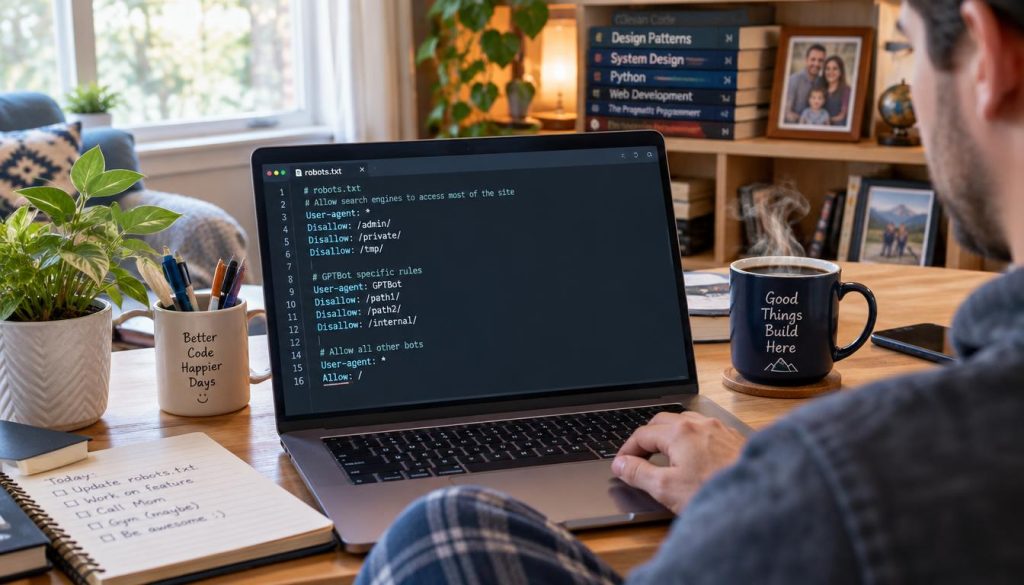
Use these steps to set the rule:
- Open the robots.txt file at your site’s root, such as example.com/robots.txt.
- Add a group with the User-agent directive set to GPTBot.
- Use Disallow: / for the whole site, or name a path such as /research/ to restrict one folder.
Disallow GPTBot across the whole site
A sitewide group tells the crawler not to request any path on the site. Its directives can look like this:
User-agent: GPTBot
Disallow: /
Keep the group focused on GPTBot when you want to express a preference for this crawler alone. Other crawlers may have their own groups and rules, so do not assume this directive applies to them.
Restrict GPTBot from selected paths
To limit only one area, use that path in the Disallow directive. For example, “Disallow: /research/” tells GPTBot to avoid that folder while leaving other paths outside that rule.
A robots.txt directive is public and voluntary. A crawler can ignore it, and anyone can still request a page that lacks access controls. Confidential pages need authentication, not a crawler directive. Keep sensitive material behind authentication instead of relying on a crawler directive.
OpenAI’s Three Crawlers Serve Different Jobs
Blocking GPTBot does not by itself block the separate OAI-SearchBot used for ChatGPT search. OpenAI gives GPTBot and OAI-SearchBot independent robots.txt controls. You can limit training-crawl access while allowing pages to appear in ChatGPT Search.
ChatGPT-User has a different role: it may fetch a page after a user action. It does not crawl the web automatically or decide whether a page appears in ChatGPT Search. The table shows what each control changes.
| Bot | Job | What its control means |
|---|---|---|
| GPTBot | Content that may train generative AI foundation models | Control training-crawl access |
| OAI-SearchBot | ChatGPT search visibility | Control whether pages can appear in ChatGPT Search |
| ChatGPT-User | Fetches a page in response to a user action | Not an automatic web crawler or ChatGPT Search inclusion control |
Blocking GPTBot alone does not remove a site from ChatGPT search answers. A site can still allow OAI-SearchBot while restricting GPTBot, because the controls are independent.
Search Engine Roundtable reported changes to OpenAI’s OAI-SearchBot description. Its report notes that the description no longer says the bot feeds navigational links in ChatGPT answers or trains OpenAI models.
ChatGPT-User is not a substitute for OAI-SearchBot when managing search inclusion. Choose the control for the job you want to change, rather than treating every OpenAI bot as one crawler.
What the Shared AI-Training Token Changes
The shared __usage_ai-training token marks a preference about training use, not a command to stop a crawler from requesting pages. A crawler may still fetch a page even when the token expresses a training preference. The token communicates how site owners want their content treated for AI training.
An IETF draft introduced the shared token on October 30, 2026. OpenAI said it would honor the token for foundational generative AI training. This makes the token a shared signal, rather than a replacement for crawler-specific access rules.
The token records a training preference
The token identifies a preference about using content to train AI systems. It does not tell a web crawler to stop requesting pages, and it does not act like an access lock. Site owners should read it as a training-use signal.
The draft sets out a common token that different services can recognize. OpenAI’s stated commitment applies to foundational generative AI training. It does not turn the token into a general block on OpenAI’s web requests.
GPTBot controls still matter
GPTBot-specific rules remain useful when a site owner wants to manage that crawler’s access. The shared token covers a training preference, while the crawler’s own group controls whether it should request specified pages.
I would keep both signals clear in the site’s policy. The shared token supplements, rather than replaces, GPTBot-specific rules. Keep the GPTBot-specific control in place when you need to manage OpenAI’s crawler access directly.
Allowing or Blocking GPTBot Is a Content Decision
The right GPTBot setting depends on whether your public pages are assets you want protected or material you want available for training. Paid research and proprietary work may call for tighter limits than public marketing pages. A site’s content mix can make one setting a poor fit for every folder.
Reasons to limit training access
Paid reports, proprietary research, and work with intellectual-property concerns may be poor candidates for training use. Public user-generated posts also deserve care, since contributors may not expect their accessible text to be collected for model training.
The table pairs common content types with a setting to consider and its trade-off.
| Content case | GPTBot setting to consider | Main trade-off |
|---|---|---|
| Public marketing pages | Allow or limit by path | Content may inform future training |
| Paid or proprietary research | Block relevant paths | Limit training use |
| Public user-generated posts | Review carefully or restrict relevant paths | Public contributions may be collected |
Reasons to allow training access
Public marketing content may help models represent a company, product, or subject more accurately. A site may choose to allow access when that benefit matters more than limiting how public material could be used.
Changing a current rule cannot retrieve copies captured earlier. Web-data collections such as Common Crawl and Google’s C4 may already hold copies used in AI training contexts.
Use this short checklist before changing access:
- Identify sensitive pages and folders.
- Decide whether training use is acceptable for each content type.
- Record the choice and the person responsible for it.
Revisit the decision whenever your site adds a new class of public content.
Checking Whether GPTBot Reaches Your Site
Start with server logs to see which requests identify themselves with the GPTBot token. A user-agent string is self-reported, so it cannot confirm who sent a request. Check the request’s IP address against OpenAI’s published list to help verify its source.
Match the user-agent token in server logs
Filter log entries for the GPTBot user-agent token, then note the request time and requested path. This can show whether the crawler reaches public pages and which areas receive visits.
Keep in mind that another requester can claim the same user agent. The label is a useful clue, but it is not proof that OpenAI made the request.
Verify requests against published IP addresses
In 2026, OpenAI published GPTBot IP addresses at openai.com/gptbot.json. The official OpenAI crawler documentation lists the address files for its bots. I can use the published list to compare an IP with the claimed user-agent token.
Run these checks in order:
- Filter server logs for the GPTBot user-agent token.
- Inspect each matching request’s timestamp and path.
- Compare request IPs with OpenAI’s published list.
- Review the robots.txt rule that applies to GPTBot.
A match can help distinguish expected crawler traffic from a false claim. Keep the log entry with its time, path, and IP for later review.
This guide to ClaudeBot requests also explains why server logs and published IP lists serve different checks.
Treat a matching user-agent string as a clue until the request IP has been verified.
GPTBot Does Not Control Google Search
A GPTBot rule does not control Google Search because Google uses separate crawling and AI-use controls. Googlebot rules manage Google Search crawling, while Google-Extended is a separate control. Blocking GPTBot does not change whether a page appears in Google Search.
Google-Extended is a user-agent token for Google AI training and grounding use. It does not affect inclusion in Google Search or act as a ranking signal. A site owner can manage that AI-use preference separately from Googlebot’s crawling rules.
The common mistake is assuming a GPTBot directive governs every search engine. Robots.txt groups target the user-agent token named in each group, so one company’s crawler rule does not set another company’s controls.
Google Search crawling and Google AI-use preferences are different settings. A change to one should not be treated as a change to the other.
Check the Google-specific directives separately if your goal is to manage Google Search access.
Conclusion
I would treat GPTBot access as a content policy decision and keep it separate from search visibility settings. A training rule controls a different choice than the setting used to manage ChatGPT Search visibility.
Before changing access, compare the rule with the public pages your site intends to protect. A single group may not suit a site that publishes both marketing pages and paid research.
Then review the current GPTBot group in robots.txt and confirm it matches your content policy. Assign one person to maintain the rule and check it when the site’s content changes.
Review the GPTBot group in robots.txt and assign an owner to revisit it when your content policy changes. You may need to know all about the ClaudeBot User Agent too?